

Somebody in your city searched for what you sell this week and called a competitor instead of you. Usually that is not because the competitor is better. It is because Google had more to work with when it decided who to show.
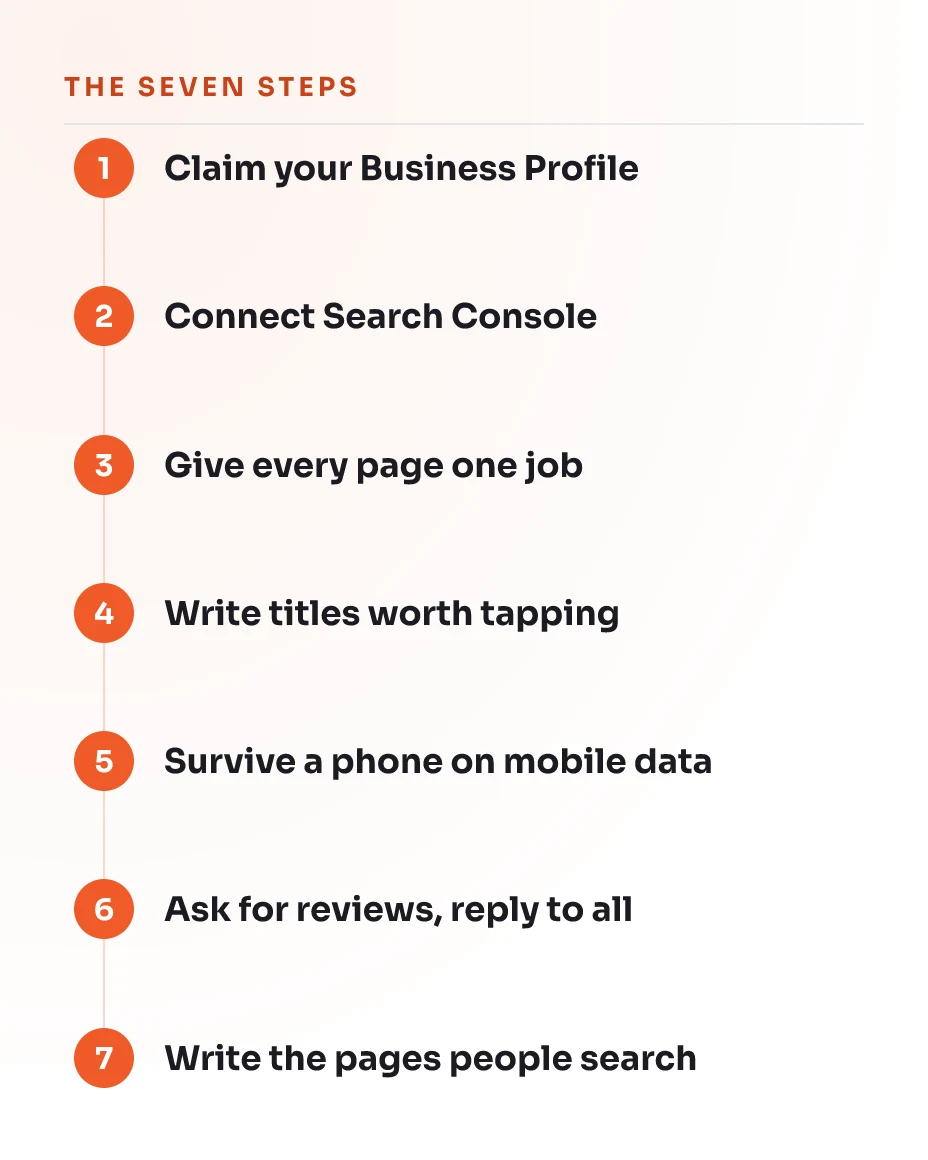
Search engine optimisation is the work of giving Google that material. Most guides on the subject are written for marketing departments, which is why they open with tools that cost money and jobs that take a team. This one is written for the owner who is also the salesperson and the bookkeeper, and it covers the seven things that do the most for the least effort, in the order they should be done.
In short
- Start with the Google Business Profile. It is free, it takes an afternoon, and it is the only step that can bring you customers within the week.
- Connect Search Console before you change anything, so you can tell later whether the change helped.
- Give every page on your site one job. Two pages competing for the same search is the most common self inflicted problem we see.
- Reviews decide more local searches than any wording on your website does.
Before you start
You do not need a budget, and you do not need to be technical. You do need these four things ready:
- A Google account you own, not one belonging to a former web designer or a relative who set things up years ago.
- The ability to edit your own website, even if that only means logging in and changing text.
- Your business name, address and opening hours written down exactly as they should appear everywhere.
- About four hours of attention, which is better spent as thirty minutes at a time over two weeks than as one long Saturday.
If somebody else controls your domain or your website login, sort that out first. Everything below assumes you can make a change and see it go live.
Step 1: Claim and complete your Google Business Profile
When this is done, your business sits on Google Maps with the right hours, and it becomes eligible for the box of three local businesses above the ordinary results.
That box is where most local searching ends. Someone looking for a dentist in Cebu taps one of the three and never scrolls, which is why this step comes before anything you do on your own website. It also works if you have no website at all.
- Search for your business name on Google. If a listing already exists, look for the option to claim it. If nothing exists, create one at the Google Business Profile site.
- Verify it. Google will ask for a video or a postcard, and this is the part people abandon. Do not abandon it. An unverified listing does almost nothing.
- Fill in every field, not the required ones only. Categories, opening hours, the services you offer, and the area you cover.
- Add at least ten photographs of the real place, the real staff and the real work. Stock images are obvious and they do not help.
Check it worked by searching your business name on a phone you are not signed in on. You should see the listing with your hours and photographs.
The listing itself is explained in our dictionary entry on the Google Business Profile, and the box of three results is the map pack.
Step 2: Connect Search Console before you change anything
Afterwards you can see which searches already bring people to your site, and how far down the results you sit for each one.
Do this second, before any changes, because it is the only way to know later whether a change helped. Search Console is free and it reports what Google actually did, rather than what a tool estimates.
- Go to Google Search Console and add your site as a property.
- Verify ownership. The simplest route for most people is the HTML file upload or the DNS record, and your hosting provider can do it in minutes if you are unsure.
- Submit your XML sitemap, usually found at your domain followed by
/sitemap.xml. - Leave it alone for a week. It collects data going forward, not backwards.
Check it worked when the Performance report begins showing queries. If it stays empty after two weeks, verification probably did not complete.
While you are there, open the Pages report. If it says pages are excluded by robots.txt or marked as duplicates, write that down. It matters in step three.
Step 3: Give every page one search to win
Done properly, every important page on your site ends up with one job written down, and no two pages share it.
This is the step that fixes the most damage for the least work. When two pages both try to rank for water delivery, Google has to choose between them, and often it shows neither. The problem has a name, keyword cannibalisation, and it is nearly always accidental.
- List every page on your site in a spreadsheet.
- Beside each one, write the single search you want it to win. Not three searches. One.
- Where two pages have the same answer, decide which page deserves it. Merge the weaker page into the stronger one, or give it a genuinely different job.
- Check that the job matches what a searcher actually wants. Somebody typing water delivery rates wants a price list, and somebody typing water delivery near me wants to order. These are different pages.
That second point is what people mean by search intent, and getting it wrong is why a well written page sometimes gets no visitors at all.
Step 4: Write the title and description that decide the click
The result is a title and a description on every page written for a person deciding whether to tap, instead of whatever your website builder generated years ago.
The title is the blue line in the search results. The description is the grey text under it. Together they are the only part of your page most searchers ever read, and improving them is the fastest visible win in this guide.
- Write a title of roughly sixty characters that says what the page is and where you are. Aircon cleaning in Davao beats Welcome to our website.
- Put the important words near the front. Titles get cut off on phones.
- Write a description of about a hundred and fifty characters that gives a reason to choose you: same day, licensed, open Sundays, delivery included.
- Make every title on your site different from every other one.
Check it worked in Search Console after a few weeks. The Performance report shows your click through rate for each query, and a better title moves it.
More on this in our entry on on page SEO and on click through rate.
Step 5: Make the page survive a phone on mobile data
Your busiest page should end up loading quickly on a mid range phone away from wifi, which is how most of your customers will meet it.
A page that takes eight seconds to appear loses the visitor before your words get a chance. The fixes are usually unglamorous and they are usually the images.
- Open your busiest page on your own phone, on mobile data, with wifi switched off.
- Resize every photograph before uploading it. A picture straight from a phone camera is many times larger than a web page needs.
- Remove sliders, pop ups and chat widgets you are not actually using. Each one costs loading time.
- Check that text is readable without zooming and that buttons are far enough apart to tap.
Check it worked by running the page through Google’s PageSpeed Insights and looking at the mobile score rather than the desktop one.
The measurements Google uses for this are the Core Web Vitals, and the underlying discipline is responsive design.
Step 6: Ask for reviews, and reply to every one
What you want at the end is a habit of asking, not a hope that customers will think of it themselves.
In local search, reviews do more than wording does. They also do something wording cannot: they let a stranger decide you are real. Filipino buyers lean heavily on what other people say about a business, and a listing with a dozen honest reviews will beat a listing with none almost regardless of the website behind it.
- Ask in person, at the moment the customer is happiest, which is usually right after the job is finished.
- Send the direct review link afterwards by whatever channel you already use with them.
- Reply to every review, including the good ones. A one line thank you is enough.
- Reply to bad reviews calmly and factually, and remember you are writing for the next person reading, not for the reviewer.
Never buy reviews and never write them yourself. It is detectable, and a suspended listing costs you everything gained in step one.
Step 7: Write the pages your customers actually search for
This adds at least one page answering a question your customers actually ask, instead of another page about your company.
Most small business websites have a home page, an about page and a contact page, and nothing that matches what anybody types into Google. The fix is to write down the questions you get asked on the phone every week and give the best three a page each.
- Write the question at the top as a heading, in the words a customer would use.
- Answer it in the first two sentences. Do not build up to it.
- Add what you know that a competitor would not bother to write: what it costs in time, what usually goes wrong, what you would do in their position.
- Link the new page to the relevant service page on your own site, and link back the other way. Those internal links are how Google finds the new page in the first place.
Common mistakes
- Changing everything at once. Rewrite forty pages in one week and you will never learn which change helped. Do a few, wait, then look at Search Console.
- Chasing the biggest search term. Web design Philippines is not winnable in your first year. Aircon repair in Mandaue is, and the person typing it is much closer to buying.
- Letting somebody else own the accounts. A domain or a listing registered to a former contractor is the most expensive mistake on this list, and it only surfaces once the relationship ends.
- Writing for Google instead of for a person. Repeating a phrase until the sentence reads strangely stopped working years ago, and now it does active harm.
- Giving up at week six. The first two months show almost nothing. That is normal, and it is also why so few of your competitors are still going at week ten.
What success looks like
Three months in, with the seven steps done, you should be able to see the following without paying for a tool:
- Your Google Business Profile appearing for your business name and for at least one service you offer.
- Search Console showing queries you did not expect, which are usually the most useful thing on the page.
- A handful of pages moving up the results rather than sitting still.
- Reviews arriving without you chasing every single one.
None of that needs a specialist. It needs the seven steps actually done, which is where most people stop.
The honest limit
When to stop doing it yourself
These seven steps are the whole of what one person can do well without help, and for a small business in a normal town they are often enough on their own. The point where it stops paying off is usually visible: your competitors rank for words you cannot reach no matter how good your page is, or the fix a tool reports involves redirects, duplicated pages or the code your site is built on. Both mean the work has moved from writing to engineering, and both go wrong quietly. If you get there, that is the moment to ask someone, and not before.
Questions we get