

A shop that sells through Messenger answers the same four questions on every single order. Is this still available. How much is it. Where do I send the payment. When will it arrive. Four answers, typed by hand, in a thread that has to be found again when the customer replies two days later.
Ten orders a day is forty answers. None of them is difficult, and all of them have to be given by a person, which means the shop can only take as many orders as somebody has hours to type. An online store is not a bigger version of that arrangement. It is the thing that answers those four questions before anybody has to ask them.
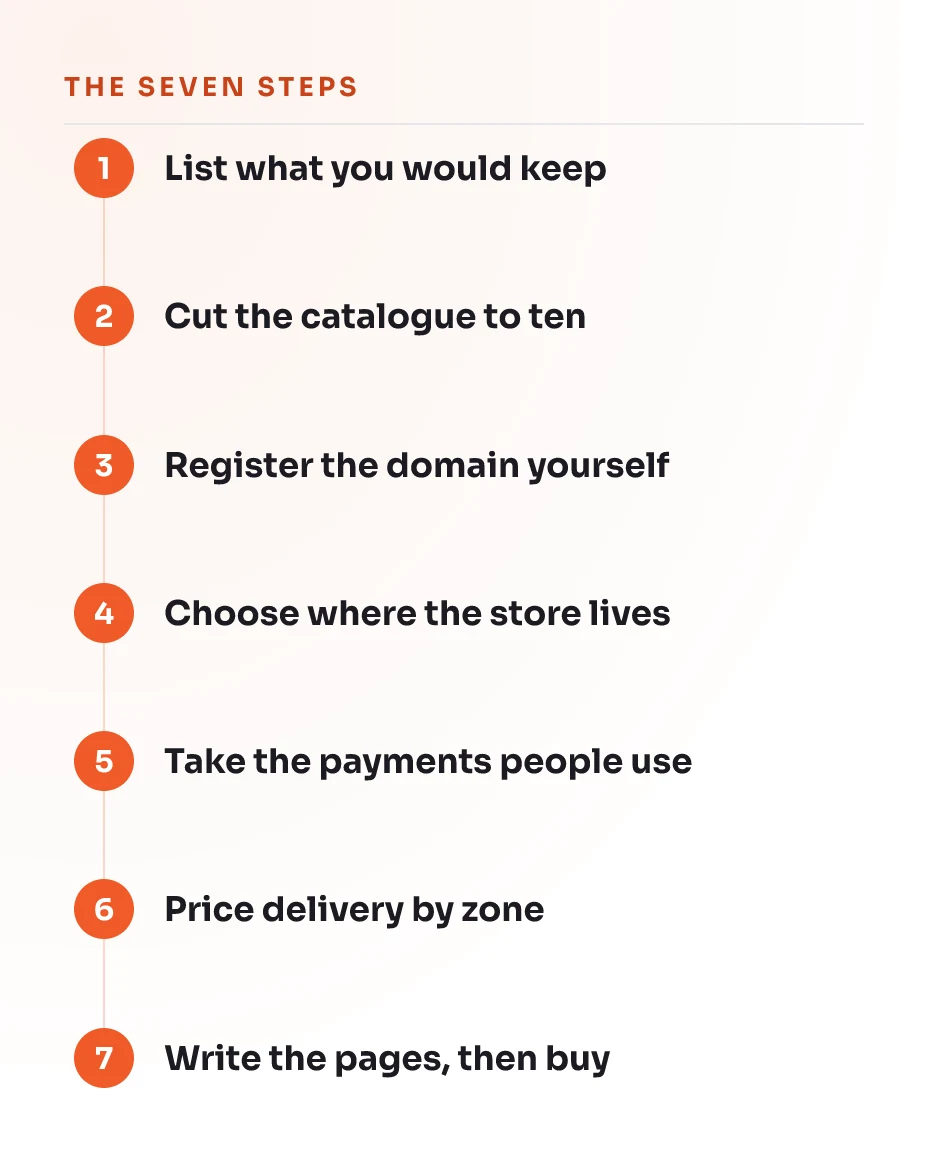
There is one matter to clear out of the way first, because it sits at the top of this search and it will cost you an afternoon. Look up how to start an ecommerce business and the pages that come back will tell you to form an LLC and obtain an EIN. Both of those are American instruments. Neither exists in the Philippines. Registering a business here is a real job with real paperwork, it belongs to an accountant rather than to a web guide, and it is not the thing standing between you and a working store. The seven steps below are.
In short
- Building the store is the short part. Working out what you would keep if the platform closed is the part that decides whether it was worth building.
- The registration advice on the first page of Google is written under American law and does not apply to a Philippine business.
- Cash on delivery is not a concession. For somebody buying from you the first time it is often the reason the order happens at all.
- One shipping rate for the whole country is the quickest way to lose the orders that come from outside Metro Manila.
Before you start
You do not need a developer and you do not need to be technical. You do need five things:
- Products you already sell and can describe without checking anything.
- Photographs of them. A recent phone and a window facing away from the sun is enough. A picture taken from the supplier’s catalogue is not, and customers can tell.
- A domain the business will own, or the willingness to register one in step three.
- A bank account in the business’s name, which is what the payment provider will eventually pay into.
- An evening for the setup, and an unhurried week for adding products afterwards.
It is worth knowing the shape of what this costs before you begin, because it does not arrive as one bill. The domain renews once a year. The store platform charges every month, whether it sold anything that month or not. The payment provider takes a share of each order rather than a fee in advance, so that part costs nothing until something sells. Everything else below is your own time.
Step 1: Work out what you would keep if the platform closed tomorrow
Afterwards you have a written list of what the business actually owns, and for most shops that list is shorter than the owner expected.
Nearly everybody reading this already has a storefront. It is a Facebook page, a Shopee shop, an Instagram account, or all three at once. Those are good places to sell and nothing here suggests leaving them. They are not places to keep anything.
The distinction is worth being precise about. You control what you put on a platform. You do not control the platform, its rules, its fees, what it shows to whom, or whether your page is still reachable on Monday morning. That is not a prediction that something bad is coming. It is a description of who holds the decision.
- Write down everything the business has built up on those platforms. Customer names and contact details. Order history. Reviews and ratings. Product photographs and the descriptions you wrote for them. The page name itself, and the followers attached to it.
- Open the settings for each platform and look for the export option. Do that now rather than assuming it is there.
- Mark every item on your list as one of two things. Either you could download it today and load it somewhere else, or it exists only inside that platform.
- Count the second group.
Check it worked when at least two items end up in the second group. For most shops the customer list is one of them, which means the people who have already paid you cannot be reached anywhere except inside a system that somebody else runs and can change. That is a better reason to build a store than any figure about online shopping growth.
Everything that follows is the work of moving items out of the second group and into the first.
Step 2: Decide which products go online first
When this is done you have a short list, and a short list is the thing that makes the rest of the job finishable in the time you have.
Almost every guide on this subject opens by telling you to find a niche and decide what to sell. That advice is written for somebody with no business at all. You have products. The question in front of you is not what to sell but which of the things you already sell will survive being sold without a conversation.
A product sells itself online when a stranger can decide on it from a photograph, a price and a paragraph. A product that always needs a conversation, because a size has to be checked or a variant explained or the customer invariably asks one more thing, has not stopped being sellable. It simply should not be in the first ten.
- List everything the business currently sells.
- Cross off anything that needs a measurement, a fitting or a discussion before the customer can commit.
- Cross off anything that cannot be packed by one person in a few minutes, or that will not survive a courier van in traffic.
- From what is left, take the ten that sell most often. That is the launch catalogue.
Ten is not a restriction imposed to keep the job small. It is the number that lets you write every product page properly, which is step seven, and ten finished pages sell more than two hundred unfinished ones.
While the list is in front of you, write down the words customers use for these products rather than the words you use inside the business. Our guide to keyword research is the method for finding those words, and they are what the product pages get written from later.
Check it worked when the list is ten items or fewer, and you could describe each one to a stranger in three sentences without looking anything up.
Step 3: Register the domain in the business’s own name
At the end of this the address of your store belongs to the business rather than to whoever set it up, and it will move with the business wherever the store is later rebuilt.
The domain is the one piece of an online store that is genuinely yours and stays yours. Platforms change. The person who helped you set it up moves on. The address customers type does not have to change with either of them, provided it was registered correctly on the first day.
- Choose the name before you look at platforms. Short, sayable out loud, and spelled the way somebody would guess after hearing it once over a noisy line.
- Register it through a registrar, in an account created with an email address the business controls. Not a personal address, and not the address of somebody helping you.
- Put the business itself as the registrant. The registrant is the owner of record. Whoever is named there can move the domain, and whoever is not named there cannot, however much work they did on the site.
- Switch on automatic renewal, and check that the card or account attached to it will still be valid in two years.
The store platform you pick in the next step will offer to sell you a domain during signup. That is convenient and there is nothing wrong with it, on one condition. Afterwards, confirm that you can see the domain in an account you control and that the registrant is the business. A domain that lives inside a platform account is only as portable as your access to that account.
Check it worked when you can sign in to the registrar yourself, without asking anybody for a password, and see the domain listed there. Our entry on domain and hosting sets out the difference between owning the address and renting the space it points at, which are separate purchases that often arrive together.
Step 4: Choose where the store will live
Afterwards you have an empty store you can sign in to, and this turns out to be a smaller decision than it is usually made to feel.
There are two honest options for a business at this stage, and what separates them is not a feature list. Both will take an order on the first day. The difference is what each one asks of you in the years afterwards.
A hosted platform runs the software on your behalf. You sign in, the store works, updates happen without anybody deciding to do them, and when something breaks there is a company to ask. In exchange you pay every month and you work inside what the platform permits.
A self-hosted store, which in practice means WordPress with a store plugin, hands you the software to run yourself. There is more you can change and less that is decided for you. The price of that is that updates, backups, security and hosting become jobs that a person has to own, and when nobody owns them the store degrades quietly over a year or two until something stops working during a sale.
Neither one is the right answer for every business. If nobody in yours wants to be responsible for maintenance, take the hosted option. That is not a compromise, and treating it as one is how a business ends up with a flexible store that nobody has updated since the week it launched.
- Pick one and create the account. Do not spend a week comparing. The cost of the wrong choice at this stage is one month of a subscription, and the cost of not deciding is the whole project.
- Set the country and the currency before you touch anything else, so every price and every tax setting starts out correct rather than being fixed later.
- Choose the plainest theme on offer. A simple theme with finished product pages outsells an elaborate one carrying placeholder text.
- Point the domain from step three at the store, following the instructions the platform gives you. It is a small number of records and the platform will tell you exactly what to enter and where.
Check it worked when your own domain loads the empty store rather than a parked page from the registrar. Allow a day for that change to reach everybody, because it does not take effect everywhere at the same moment.
Step 5: Set up payment the way people here actually pay
When this is done, somebody who has never heard of your shop can complete an order without having to trust you first.
This is the step the international guides skip, and skipping it is expensive. They assume a card at checkout, because in the countries those guides were written for that assumption is safe. It is not safe here, and a checkout that offers a card and nothing else will watch a large share of first-time buyers leave with a full basket.
- Switch on cash on delivery. The courier collects the money on your behalf and remits it to you afterwards. Set a limit on the order value you are willing to send this way, because the risk sits with you until the parcel is accepted.
- Add the e-wallets people already have open on their phones. GCash and Maya are what most Philippine platforms list first, and enabling them is a setting rather than a project.
- Add card payment for the customers who prefer it and for anybody buying from abroad.
- Add bank transfer if you already take it, and be aware that it puts a manual check back into every order. Somebody has to confirm the money arrived before the parcel goes out.
Cash on delivery is worth understanding rather than merely enabling. It removes the trust barrier that stops a first order, and it hands you refused parcels in exchange, which are a genuine cost and not a rounding error. Our entry on cash on delivery covers what reduces refusals. The short version is that a confirmation message before dispatch does more than anything else on the list.
Check it worked when the checkout of your empty store offers at least three ways to pay, and you can name what each one costs the business per order. The service sitting behind the card and e-wallet options is explained in our entry on the payment gateway, including when it pays out, which is rarely the same day.
Step 6: Set up delivery, including outside Metro Manila
Afterwards the store quotes a delivery price it can actually honour, everywhere you are willing to send to.
Delivery is where a new store loses money without noticing for months. The platform will offer to set a single flat rate for the whole country. It takes a minute and it is wrong in both directions at once. It is too low for a provincial delivery, which the business then absorbs on every order, and too high for the customer three barangays away, who puts the basket down and buys elsewhere.
- Decide where you will ship to, honestly. Somewhere you are not confident about is better left off the list than promised and missed.
- Get the current rate card from the couriers you intend to use. J&T and LBC are the two your customers are most likely to recognise, and courier pricing works on weight and distance together rather than on either alone.
- Set up zones in the store rather than one rate. Metro Manila, the rest of Luzon, Visayas and Mindanao is enough division to start with, and it is four settings rather than four hundred.
- Weigh the packed product, not the product. The box, the filler and the tape are all going on the scale at the courier counter, and the difference is what turns a delivery charge into a loss.
- Decide in advance what happens when a parcel is refused, lost or arrives broken, and write it down before the first order rather than during the first argument.
Write all of it onto a delivery page and link that page from the checkout. Most of the questions a shop answers by hand every day are delivery questions, and a page that answers them removes them from the inbox permanently.
Check it worked when you can state the delivery price to somewhere far from you without opening a calculator, and the store quotes the same figure at checkout.
Step 7: Write the product pages, then buy from yourself
At the end of this the store is finished, and you know it is finished because you have used it as a customer rather than looked at it as its owner.
The product page is where the decision happens. Everything before it is what brought somebody there. Most new stores put real effort into the home page, which visitors barely read, and leave the product pages carrying a line copied from the supplier. Then the orders do not come, and the store gets blamed for something the pages did.
A product page has to answer, without the visitor asking, every question you currently answer by hand:
- What it is, in the words a customer would use rather than the words on the invoice.
- What it looks like from more than one angle, including a photograph with something in it for scale.
- What it costs, with nothing added at checkout that was not visible beforehand.
- Whether it is in stock right now.
- When it will arrive, and what that will cost, for somebody who does not live near you.
- What happens if it is wrong or broken when it arrives.
Then place a real order through the finished store, from a phone, on mobile data, as a customer rather than as the administrator. Pay for it properly. This is the only test that finds the things the preview does not show you.
Do not require an account to do it. Making somebody register before they can pay is the single most reliable way to lose an order that was otherwise finished, which our entry on guest checkout goes into. Our entry on the product page covers the rest of what belongs there.
Check it worked when four things are true at once. The order appears in the store’s order list. The confirmation email reaches your inbox rather than the spam folder. The delivery charge matches what step six said it would, and the money arrives where it is supposed to. Then refund yourself.
Common mistakes
- Following the registration advice at the top of the search results. It is written under American law, and an LLC and an EIN are not things a Philippine business can obtain.
- Putting the whole catalogue up at launch. Two hundred products with placeholder descriptions look less credible than ten that are finished, and they take a year to fix.
- Switching cash on delivery off to avoid refused parcels. The refusals disappear and so do the first-time buyers, and the second group is much larger than the first.
- Quoting one shipping rate for the entire country. Every provincial order then costs the business money, and every nearby customer is overcharged into leaving.
- Letting whoever builds the store register the domain in their own name. It is not usually done with bad intent, and it is still the reason businesses lose an address they have printed on their packaging.
- Launching without buying from yourself. The checkout that looks correct in the preview is not the checkout a stranger meets on a phone with two bars of signal.
- Treating the store as a replacement for the Facebook page. It is the place the page should be sending people, and shops that close one to open the other lose the audience they spent years building.
What success looks like
A month after launching, you should be able to say all of this without qualification:
- The domain is registered to the business, and you can sign in and see it without asking anybody.
- Ten products are live with photographs, honest descriptions and correct weights, and nothing on the store says lorem ipsum.
- Somebody you have never met has placed and paid for an order without messaging you first.
- Cash on delivery, at least one e-wallet and a card option all work, and you know what each of them costs per order.
- The delivery page answers the question your inbox used to answer four times a day.
- Every customer who has bought from you is on a list the business holds, rather than only inside a platform account.
The last one is the point of the exercise. The store is not there to look impressive. It is there so that the work of building an audience accumulates somewhere the business controls, and so that the four questions get answered once, on a page, instead of forty times a day in a chat thread.
None of the above requires a specialist. It requires an evening, a week of unhurried follow-up, and the willingness to place one order through your own store before asking anybody else to.
The honest limit
When to stop doing it yourself
Everything above is one owner, one evening, and a store that takes real orders at the end of it. Four parts of this work are deliberately not taught and are not beginner jobs. Registering the business and handling its tax is not a web agency's work in any country, and the guide says only that the LLC and EIN route on the first page of Google is American; the Philippine process belongs to an accountant. Payment work beyond switching on what the platform already ships with means handling somebody's money through code, and a mistake there is not visible until it has cost you orders. Moving an existing store from one platform to another breaks every address customers and Google already hold, and the damage arrives months later as traffic that never came back. Keeping stock in step across a website, Shopee and Lazada at once is a systems problem rather than a setup task, and the day it goes wrong is the day you sell something twice. The moment any of those four is the next thing in front of you, that is the moment to ask somebody, and not before.
Questions we get
Questions we get about this
Do I need to register the business before I can open an online store?
Should I build my own store if I am already selling on Shopee or Facebook?
Can I open an online store without paying for anything?
Do I have to offer cash on delivery?
How many products should be on the store when it launches?
Which platform should I choose?
Read next
How to do keyword research for free: six steps, no paid tools
A step by step method for finding the words your customers actually type, using only the tools Google gives away. Written for Philippine business owners with no software budget.
SEO tips for beginners: your first seven steps
A step by step SEO guide for Philippine business owners with no agency. Seven things you can do yourself, in the order that actually matters.